
Navigation
Control how users move through your flow with forward and backward navigation.
Navigation in Flows is handled by the Navigation element and other components you add tap behaviors too (such as CTA buttons). Users move forward along the routes you've defined, or backward to previous pages. The system is intentionally simple. Complex routing logic lives in the routes, not the buttons.
The Navigation element
The Navigation element is what enables flow navigation. Add it to any page to unlock forward and backward controls.
To add it:
- In the left sidebar, click + to add a new element.
- Choose Navigation under the "Base Elements" header.
Without a Navigation element, you have a paywall. With it, you can create a Flow.
Adding navigation to components
Any element can have a tap behavior. Using the "Navigate Page" behavior, you can tell a component to progress the flow forward or backwards:
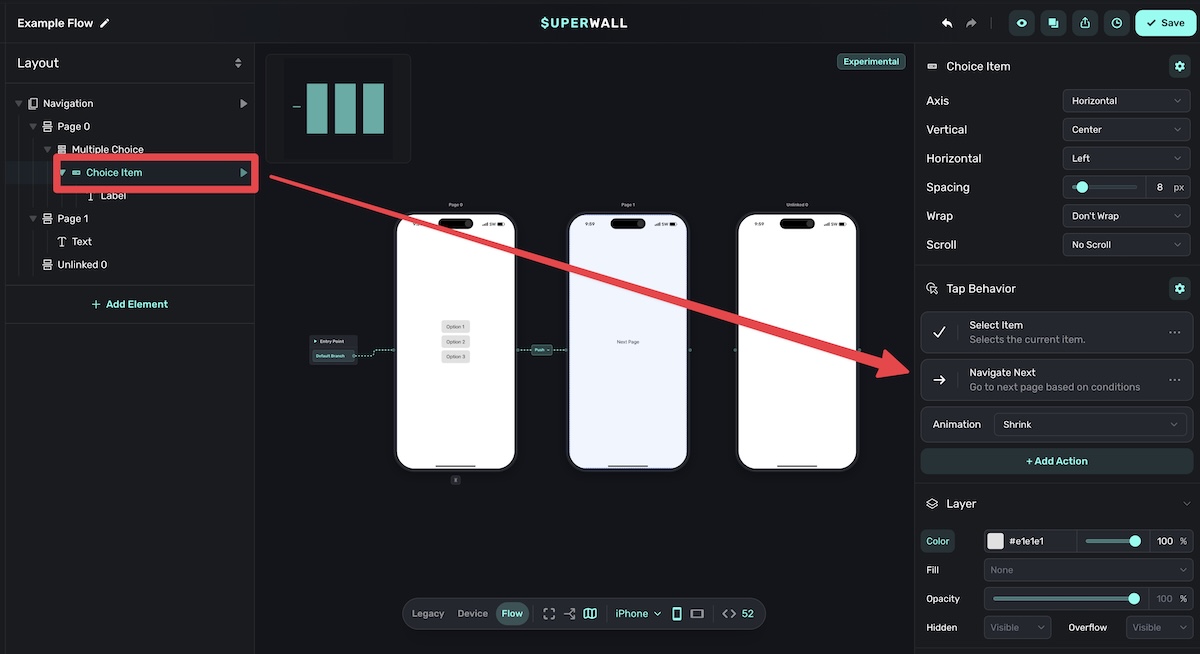
To configure a component to navigate:
- Select the button element.
- In the right sidebar, find Tap Behavior.
- Choose Navigate Page from the action options.
- Select Forward or Backward.
To see them in action, change the canvas view to Device, and then click on the component to fire off its tap behavior:
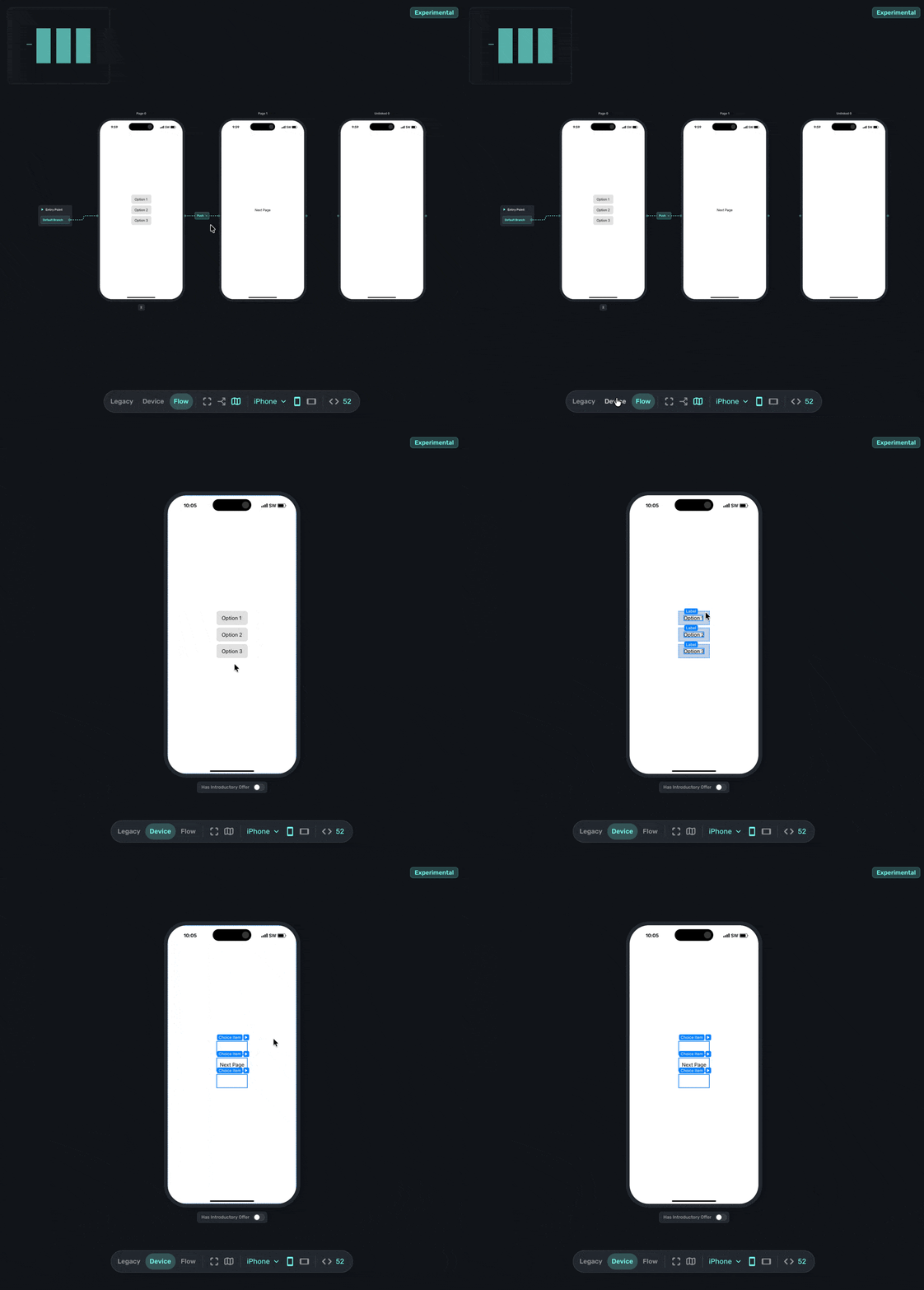
Additionally, you can manually set which page should be navigated to within the floating toolbar using its variable editor:
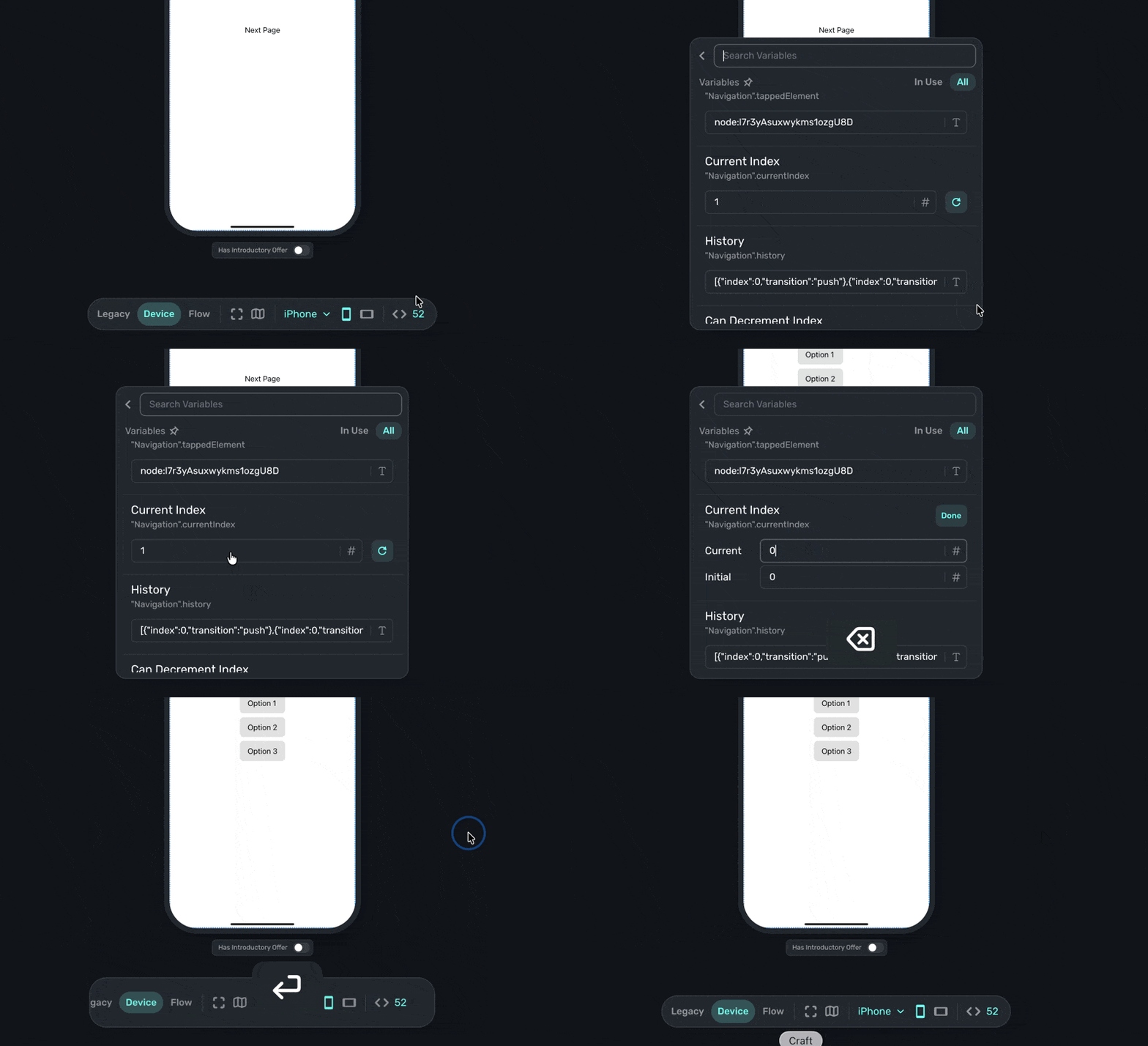
Going forward and backward
When a user taps Forward, they move to the next page based on the route you've connected from the current page. If there's no branching, they go to the single connected page. If there's branching, the route conditions determine which page comes next. When they tap Back, they return to the last page they visited, unless any branching logic dictates otherwise.
Auto-advance timer
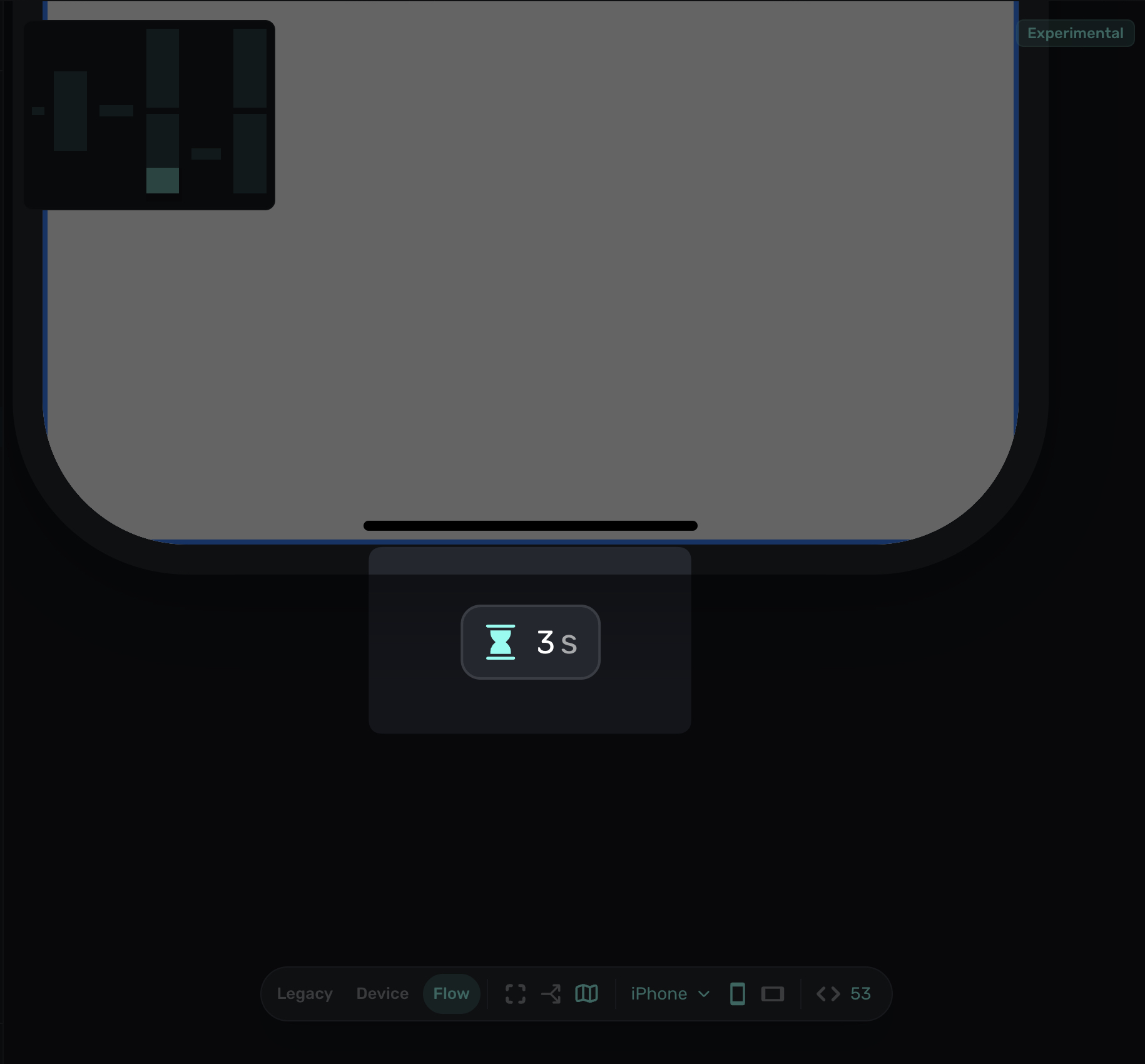
For pages that don't require user interaction, you can automatically advance to the next page after a set duration. This is useful for animation screens, feature previews, or any page where you want to keep the user moving through the flow without requiring a tap.
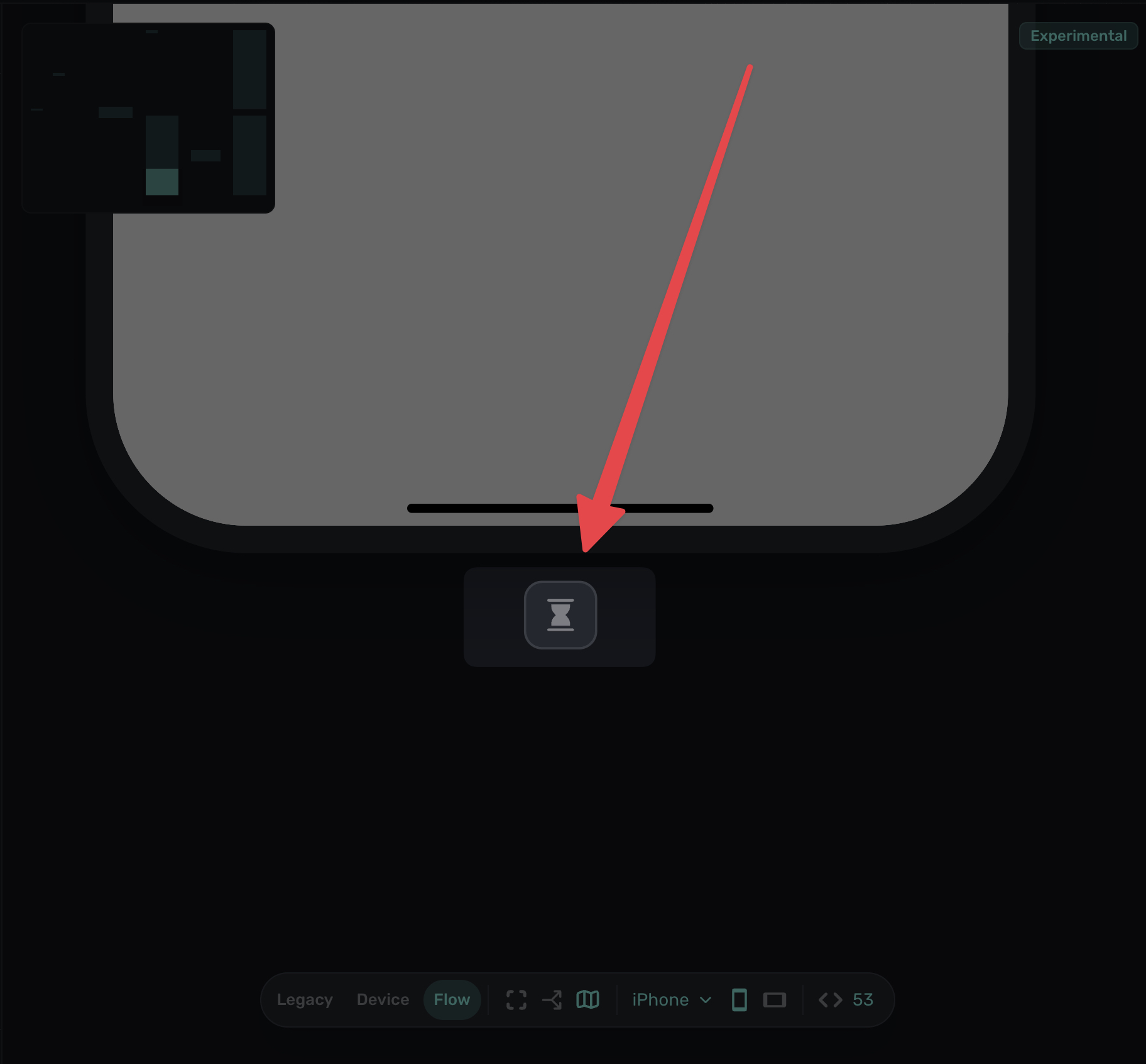
To set up auto-advance:
- Select the page you want to auto-advance.
- Find the Auto Advance hour glass button below the page.
- Enter the duration in seconds.
Once configured, the page will automatically navigate forward when the timer completes:
CTA buttons are simple by design
Since routes and branches determine where a user ends up, remember that CTA buttons in Flows commonly do one of two things: progress it forward or go backward.
You won't set a specific page number on a button in Flows. Instead, you simply move forward or backwards. All conditional logic (which page to show next based on user input or attributes) is defined in the routes, not the buttons. This keeps your flow easier to maintain and reason about.
Think of CTA buttons as "next" and "back". The routes decide where "next" actually goes.
How is this guide?
Edit on GitHub